
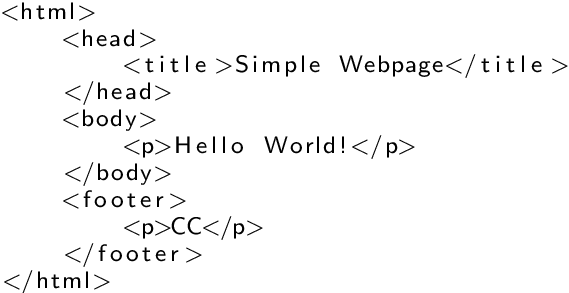
Hey there, fellow code explorer! 👩💻
Today, we’re rewinding to the absolute basics — the foundation of every HTML document: <html>, <head>, and <body>.
They may not look flashy, but trust me — these three tags are essential. They’re like the backstage crew in a theater 🎭: without them, nothing works properly.
🧱 <html> — The Big Wrapper of the Web
This is the outermost tag — the container that wraps your entire web page. It tells the browser, “Everything inside here is HTML — handle with care!”
Example:
<html>
  <!-- everything else lives inside here -->
</html>
📝 Think of it as: The folder that holds all your website content.
📊 Real-World Insight: Every web page, from Google to Netflix, starts with this tag.
🎨 Visual Aid Idea: Draw a big box labeled <html>, with two internal boxes: one labeled <head> and another labeled <body>.
🤔 Quick Prompt: Can you think of what kind of elements should never go outside the <html> tag?
🧠 <head> — The Invisible MVP (Most Valuable Player)
The <head> section holds metadata — behind-the-scenes information about your site. While not visible to users, it’s critical for SEO, accessibility, and page behavior.
Inside the <head> you’ll usually find:
<title>– What appears in the browser tab<meta>– Info for search engines & screen readers<link>– Connects to CSS files<style>– Embeds internal styles<script>– References JavaScript files
Example:
<head>
  <title>Code With Kriti</title>
  <meta charset="UTF-8">
  <meta name="viewport" content="width=device-width, initial-scale=1.0">
  <meta name="description" content="A blog about learning web development from scratch">
  <link rel="stylesheet" href="styles.css">
</head>
📦 Think of it as: The tech team behind the curtains running lights, sound, and SEO magic ✨
🔍 SEO Boost: Tags like <meta name="description"> and <title> help improve your appearance in search results and CTR.
♿ Accessibility Tip: Always include a proper character set (<meta charset="UTF-8">) and responsive design setup (<meta name="viewport">). It helps screen readers and ensures better rendering.
💬 Reflect Prompt: How could a missing <meta> tag affect the accessibility or performance of your site?
🖼️ <body> — The Star of the Show
The <body> tag is where all the content your visitors interact with lives: text, images, buttons, links, forms — everything visible.
Example:
<body>
  <h1>Welcome to Code With Kriti</h1>
  <p>This is where I share all my wins (and bugs 🐞) from learning to code.</p>
</body>
🎬 Think of it as: The stage where all the action happens.
🌐 Real-Life Application: Ever filled out a feedback form? Clicked a blog post? Read a heading? That’s <body> content — and it needs to be cleanly structured.
✅ Accessibility Reminder: Use headings (<h1>, <h2>) in the right order. Label buttons clearly. Don’t forget alt attributes for images.
💡 Prompt: Try building a simple HTML page with only <body> content. Now add <head> and see what changes!
🌟 Putting It All Together
<!DOCTYPE html>
<html>
  <head>
    <title>My First Web Page</title>
    <meta charset="UTF-8">
    <meta name="viewport" content="width=device-width, initial-scale=1.0">
    <link rel="stylesheet" href="style.css">
  </head>
  <body>
    <h1>Hello, world!</h1>
    <p>I’m building the web, one tag at a time!</p>
  </body>
</html>
🧪 Try It Yourself: Want to experiment? Use an online editor like CodePen or Visual Studio Code and recreate this template.
✨ Wrapping It Up
These three tags — <html>, <head>, and <body> — are the unsung heroes of every web page. They help with structure, performance, discoverability, and accessibility.
✅ Clean structure
✅ Better SEO
✅ Faster load times
✅ More accessible content
If you’re just starting out like I am, I hope this gave you a little more clarity (and maybe even a mini “aha!” moment). 😊
Till tomorrow,
Happy coding — and don’t forget to close your tags properly! 😉
🔗 For Meta Tags:
 CodeWithKriti
Leave a comment