
Hey friends! 👋 Welcome back to Code With Kriti, where we explore the magic behind every HTML tag, one step at a time.
Today, let’s talk about something small — but mighty — in web development: the humble alt attribute. It may just look like a few words tucked inside an image tag, but trust me, it plays a BIG role in both accessibility and SEO.
💡 What Is alt Text?
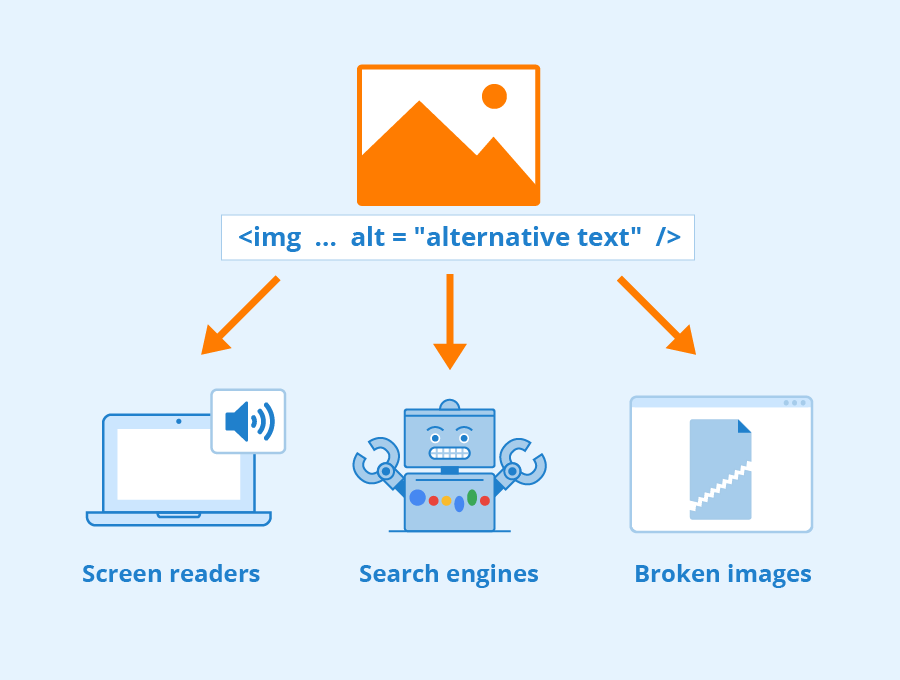
alt stands for alternative text. It’s the description you add to an image tag so that:
- Screen readers can describe the image to visually impaired users.
- Search engines can understand what the image is about.
- Users see a helpful description when the image fails to load.
Example:
<img src="profile.jpg" alt="Kriti smiling while holding a coffee cup and laptop">
🎯 Why Is alt Text So Important?
✅ Accessibility
Imagine browsing the internet without being able to see images. That’s the reality for many users who rely on screen readers. The alt text lets them understand what’s visually on the page.
Did You Know? Adding good alt text helps your website meet WCAG (Web Content Accessibility Guidelines) — a must if you want your site to be inclusive and sometimes even legally compliant!
✅ SEO
Search engines like Google use the alt attribute to understand image content. So if your image is relevant to your page, a well-written alt text can:
- Help your image rank in Google Image Search
- Improve your page’s SEO indirectly
- Increase discoverability for blog content, products, etc.
✍️ Best Practices for Writing alt Text
1. Be Descriptive, But Concise
Say what’s in the image, not what it’s for.
- ✅
alt="A birthday card with balloons and confetti" - ❌
alt="Image of birthday card"
2. Avoid Redundancy
Don’t repeat things that are obvious from surrounding text.
- ✅
alt="Two women laughing while coding at a laptop" - ❌
alt="Picture of two women sitting"
3. Decorative Images? Leave alt Empty
If the image is purely decorative, use an empty alt="" so screen readers skip it.
<img src="line-divider.png" alt="">
4. Don’t Use the Words “Image of…”
Screen readers already know it’s an image — get to the point!
- ✅
alt="HTML5 logo inside a glowing terminal window"
5. Think Like a Human
What would you say if someone couldn’t see the image and you had to describe it?
📝 A Few More Real-Life Examples
- 📷 Product Image:
alt="Black leather backpack with two front zippers and adjustable straps" - 🧠 Infographic:
alt="Flowchart showing how browsers render HTML" - 🎉 Blog Banner:
alt="Bright flat-style illustration showing a woman coding with colorful balloons and stars"
📜 Accessibility Matters Legally Too
In many countries, websites are required to meet accessibility standards (like WCAG 2.1). Using alt text correctly is a basic but crucial step toward compliance and inclusivity.
🗣️ Your Turn!
Do you use alt text on your site? Ever seen a good (or hilariously bad) one? Tell me in the comments or tag me in your HTML projects!
Let’s build a web that works for everyone — one attribute at a time. 💻🌍
Till next time, Keep coding with care! 💙
Till next time, Happy coding and thoughtful tagging! 💻🌈
 CodeWithKriti
Leave a comment