
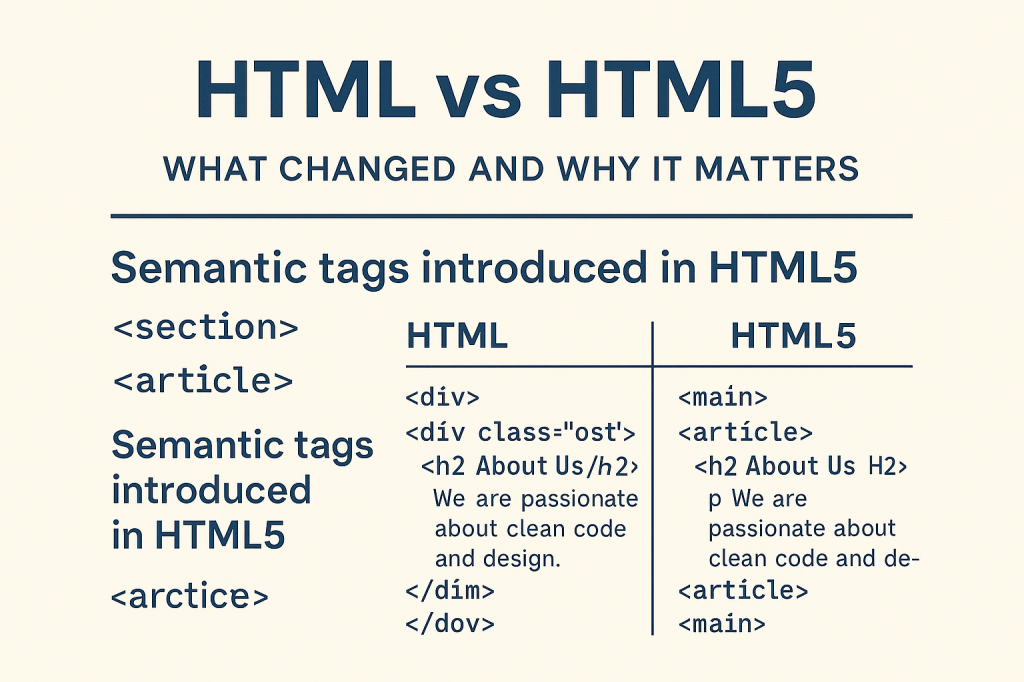
Understanding Semantic Tags Like <section> and <article>
When you’re just starting with web development, it’s easy to get lost in all the versions and updates of HTML. But one of the most important transitions in web history was from HTML to HTML5. It wasn’t just a version upgrade — it was a shift in how we think about writing and structuring websites.
And here’s why it really matters — semantic tags like <section> and <article> changed the way developers write code, how browsers understand our websites, and even how users (and search engines) experience the web.
🧱 HTML vs HTML5 – What Actually Changed?
Let’s keep it simple.
HTML (HyperText Markup Language) has always been about structure — defining headings, paragraphs, links, and images on a web page.
But older versions of HTML were limited. Developers mostly used generic tags like <div> for everything. A typical website might look like a giant mess of <div id="header">, <div id="footer">, <div class="content">… and so on.
Then came HTML5 — and it brought structure with meaning.
Instead of a dozen <div>s, HTML5 introduced semantic tags like:
<header><nav><main><section><article><footer>
These tags tell the browser (and search engines) what each part of your content actually means — not just how it looks.
🧩 The Power of Semantic Tags
Now let’s focus on two of the most important semantic tags:
🔹 <section>
A <section> is a thematic grouping of content — like a chapter in a book. You use it when the content inside has a related purpose or topic.
For example:
<section>
  <h2>Our Services</h2>
  <p>We offer web development, UI/UX design, and content strategy.</p>
</section>
Here, the browser understands this is a standalone topic block — and so does Google. That helps with SEO (Search Engine Optimization) and accessibility.
🔹 <article>
An <article> is used for independent, reusable pieces of content — like blog posts, news stories, or user comments.
For example:
<article>
  <h2>5 Tips for Writing Clean Code</h2>
  <p>Writing clean code helps you scale your project and makes collaboration easier...</p>
</article>
This content could stand alone, and be republished or shared on its own — perfect use case for <article>.
🌱 Why It Matters Today
You might be thinking — “Why should I bother? I can just keep using <div> everywhere!”
Here’s why it matters in the real world:
✅ Better Accessibility
Screen readers can navigate your page more efficiently with semantic tags. This makes your site more usable for people with disabilities.
✅ SEO Boost
Search engines like Google understand your content structure better. That means higher chances of ranking on search results.
✅ Clean, Readable Code
Even for you (or your team), semantic HTML is easier to maintain and understand. No more guessing what a random <div class="abc123"> is supposed to do.
✅ Future-Proofing
As web standards evolve, semantic HTML ensures your site is aligned with best practices — making it easier to scale or migrate to new frameworks.
👩💻 Real Talk
When I first started building websites, I’ll be honest — I used <div> for everything. It felt easier, especially when following tutorials that didn’t explain much about semantic structure.
But over time, my code became messy and hard to manage. I’d go back to a project after a few weeks and forget what each <div class="box1"> or <div id="main-section"> was actually doing. It made debugging frustrating and updating content even harder.
Once I learned about semantic tags like <section> and <article>, my mindset shifted. My HTML started to look cleaner, and I could instantly understand what each part of the page was meant for — even without comments.
It didn’t just help me — teammates working on the same project could follow the structure more easily too. That’s when it clicked: writing code that communicates meaning is just as important as writing code that works.
🎯 Final Thoughts
HTML5 didn’t just change syntax. It changed how we think about content structure. And learning to use tags like <section> and <article> is your first step toward writing smarter, cleaner, and more accessible code.
So next time you reach for a <div>, ask yourself:
👉 Is there a semantic tag that makes more sense here?
That tiny shift in mindset can make a big difference.
👋 Over to You
Have you tried using semantic tags in your projects yet?
Which tag confused or surprised you the most?
Let’s talk in the comments below! 💬
 CodeWithKriti
Leave a comment