
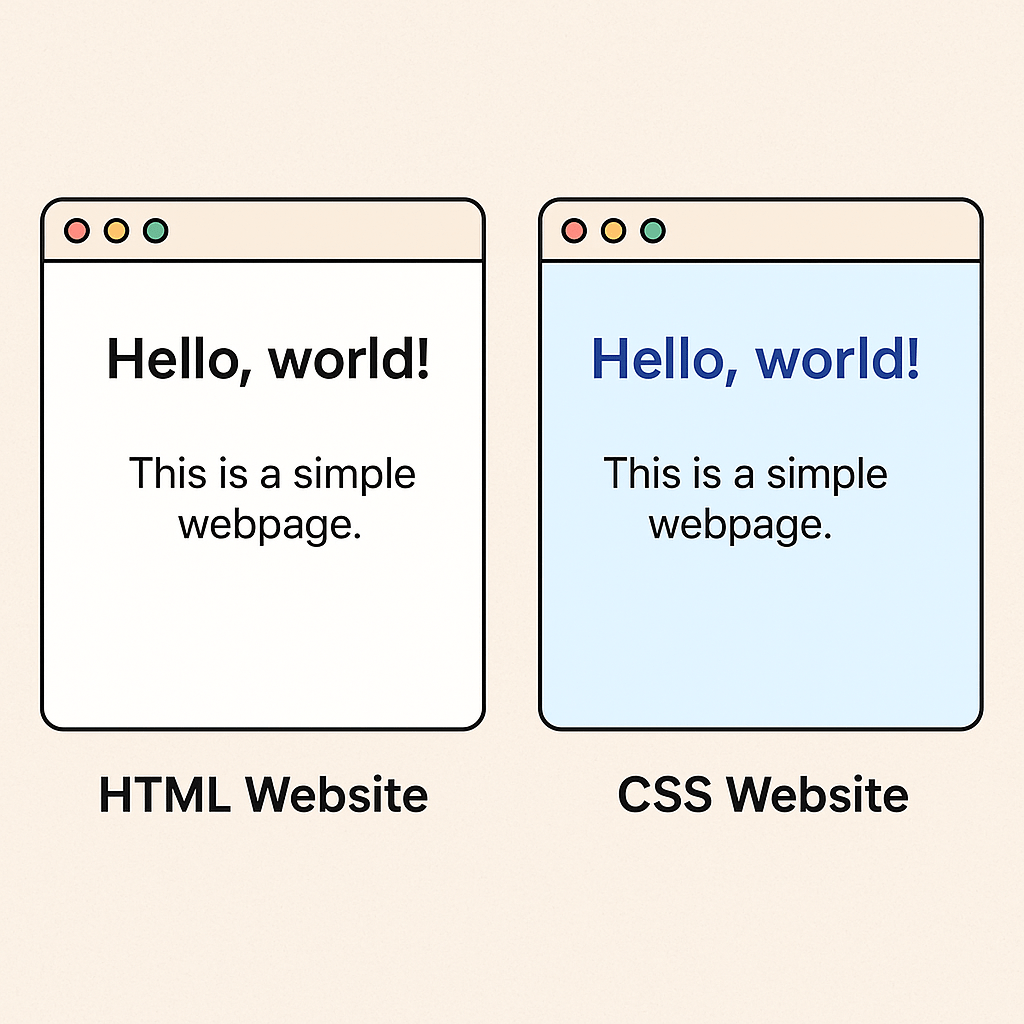
When you open a webpage that feels modern, clean, and just right, you’re seeing CSS at work. While HTML is like the skeleton of a site, CSS adds the style, color, and layout—like clothes and personality. 💅✨
🧩 CSS = Cascading Style Sheets
CSS stands for Cascading Style Sheets. It tells the browser how things should look.
Think of this basic HTML page:
<h1>Hello, world!</h1>
<p>This is a simple webpage.</p>
Pretty boring, right?
Now, add some CSS:
h1 {
  color: royalblue;
  text-align: center;
  font-family: 'Poppins', sans-serif;
}

p {
  font-size: 18px;
  color: #333;
  line-height: 1.6;
}
✨ And suddenly, it feels modern!
🛠️ How Does CSS Work?
CSS works by selecting HTML elements and applying styles.
✅ Selectors
They target what you want to style:
h1,p,img– HTML tags.my-class– class selector#unique-id– ID selector
🎨 Properties and Values
Each rule is a pair:
property: value;
Example:
button {
  background-color: #ff5722;
  color: white;
  border-radius: 5px;
}
💡 Cool Things You Can Do with CSS
Here’s a mini tour of awesome CSS powers:
| Feature | What It Does | Example |
|---|---|---|
:hover | Adds interactivity | Change button color on hover |
Flexbox | Aligns content | Center items vertically and horizontally |
Grid | Layout system | Build Pinterest-style layouts |
Media Queries | Responsive design | Adjust layout on mobile screens |
Animations | Movement & flair | Fade in/out, slide, spin |
🔄 Hover Example:
a:hover {
  text-decoration: underline;
  color: tomato;
}
📚 Learn More
Wanna level up your CSS skills? Here are my go-to resources:
- CSS Tricks – my forever favorite 🧡
- MDN Web Docs: CSS
- Flexbox Froggy – a fun CSS game
- Grid Garden – learn Grid the fun way!
💬 Your Turn: Share Your Style!
🎯 Challenge: Style your own “Hello, world!” page with your favorite colors and fonts.
📸 Tag me @codewithkriti and use #CodeWithKriti so I can see your designs!
✨ Final Thoughts
CSS is the brush that paints your digital canvas. Start small, break things, and experiment. Every styled button or animated div is a step toward being a better web developer.
You got this. 💪
— Kriti 🧡
 CodeWithKriti
Leave a comment