
Have you ever wondered how your browser decides which style to apply when multiple styles are written for the same element? 🤔
When I first started learning CSS, I thought the last style always wins. But the truth is, the process is way more fascinating than just “last come, first serve.”
Let’s talk about the CSS Cascade — the secret sauce behind how your browser figures out which style gets applied and which one doesn’t.
🌊 What Is the CSS Cascade?
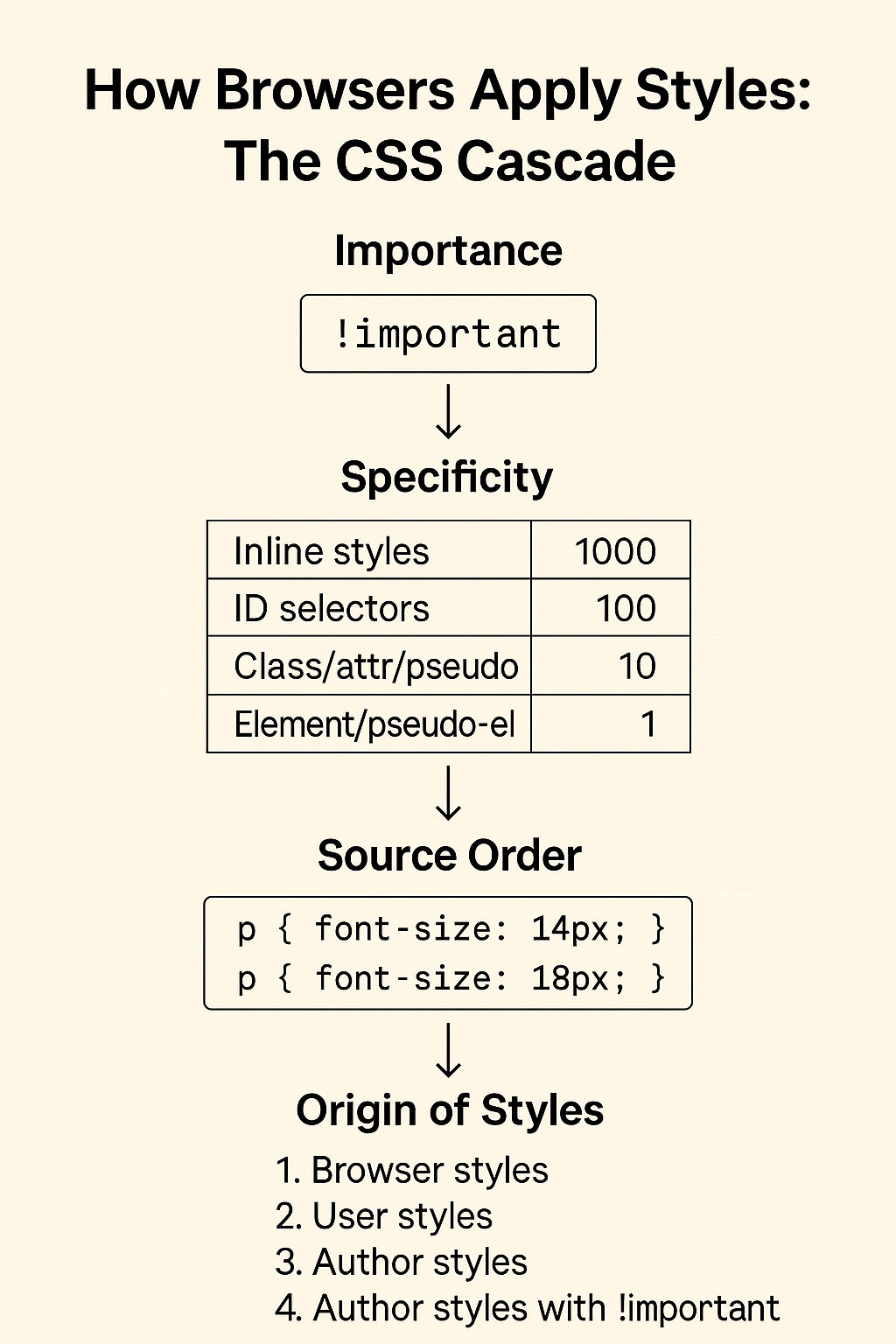
The cascade in CSS isn’t just a fancy name. It’s literally a flow — a set of rules the browser follows to determine which style rule wins when there are multiple styles targeting the same HTML element.
So when you’re writing styles in different places — inline, in a <style> tag, or an external CSS file — the browser needs to make a decision.
That’s where four factors come into play:
📌 1. Importance (a.k.a. !important)
If you add !important to a rule, it shouts: “Hey browser, this rule matters more than others!”
So, among conflicting rules, those marked !important will win unless another rule with !important has a higher specificity.
h1 {
  color: red !important;
}
⚠️ Tip: Use
!importantsparingly. It can make debugging a nightmare later.
🧮 2. Specificity
This one got me confused for a while.
Think of specificity as the level of precision of a selector. The more specific the selector, the higher its priority.
Let’s break it down:
| Selector Type | Specificity Value |
|---|---|
| Inline styles | 1000 |
| ID selectors | 100 |
| Class/attr/pseudo | 10 |
| Element/pseudo-el | 1 |
/* Lower specificity */
p {
  color: blue;
}

/* Higher specificity */
#intro {
  color: green;
}
So, in this case, the #intro rule will override the p rule, even if it appears earlier.
🧭 3. Source Order
If two rules have the same specificity, the last one wins (thanks to the “cascading” part of CSS).
/* Both are targeting the same element */
p {
  font-size: 14px;
}

p {
  font-size: 18px;
}
Result? The second one is applied, because it’s later in the cascade.
🌐 4. Origin of Styles
CSS rules can come from different sources:
- Browser default styles (called user agent styles)
- User styles (from browser settings or accessibility tools)
- Author styles (that’s you writing CSS!)
Order of priority (from lowest to highest):
- Browser styles
- User styles
- Author styles
- Author styles with
!important - User styles with
!important
Yep, it’s possible for users to override your styles too!
✨ Real-Life Example
Let’s say we have:
<p id="intro" class="highlight" style="color: orange;">Hello World</p>
And these styles:
p {
  color: blue;
}

.highlight {
  color: green;
}

#intro {
  color: red;
}
And inline:
<p style="color: orange;"> <!-- highest specificity (1000) -->
Final result? Orange wins — because inline styles have the highest specificity (unless someone uses !important).
🔍 TL;DR – The Cascade in a Nutshell
When styles conflict, browsers resolve it using:
- Importance (
!important) - Specificity of the selector
- Source order in the file
- Where the style came from (inline, author CSS, etc.)
💡 Why This Matters
When debugging your CSS, it’s not just about checking which rule looks right — it’s about understanding why a rule is being applied or ignored.
Learning how the CSS Cascade works helped me go from randomly changing styles to confidently predicting how styles behave. 🎯
💬 Let’s Chat!
Have you ever struggled with styles not applying as expected? Drop a comment or DM on Instagram @codewithkriti — I’d love to see your CSS stories (and confusions)!
 CodeWithKriti
Leave a comment