
Ever wondered why your webpage styling behaves differently depending on where you write your CSS? 🤔
Whether you’re just starting your web dev journey or fine-tuning your portfolio, understanding the three main types of CSS is essential.
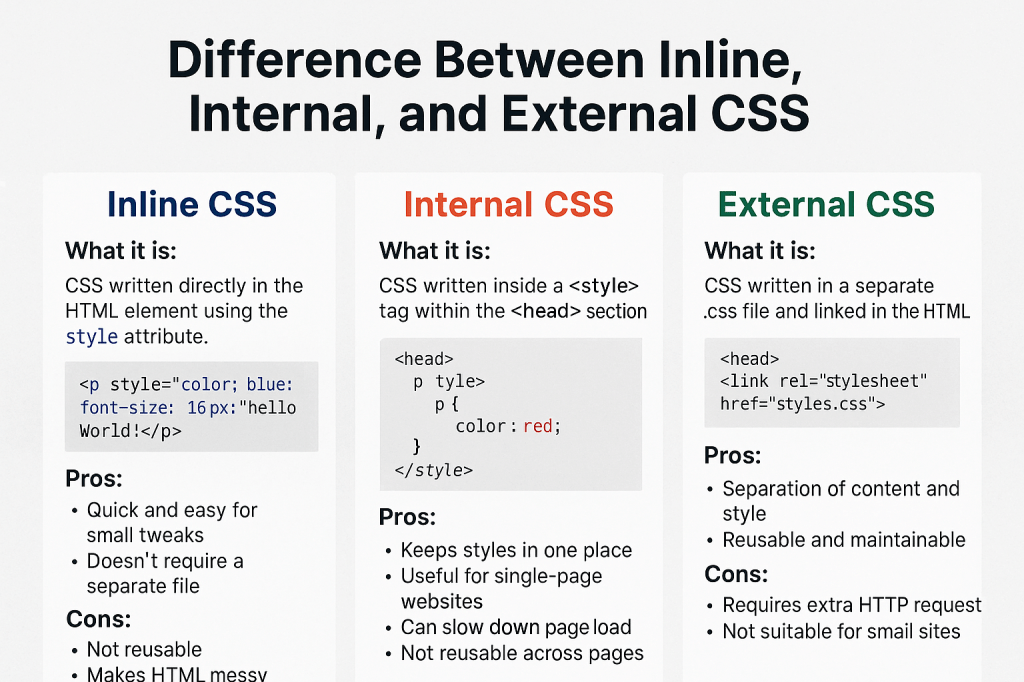
Let’s break it down: Inline, Internal, and External CSS — what they are, how they work, and when to use each.
🔹 1. Inline CSS
💡 What it is:
CSS written directly in the HTML element using the style attribute.
<p style="color: blue; font-size: 16px;">Hello World!</p>
✅ Pros:
- Quick and easy for small tweaks
- Doesn’t require a separate file
- Great for testing or temporary changes
❌ Cons:
- Not reusable
- Makes HTML messy and hard to read
- Difficult to maintain
- Poor for SEO and accessibility
👀 Use it when:
You need to apply a quick one-off style or override something fast.
🔸 2. Internal CSS
💡 What it is:
CSS written inside a <style> tag within the <head> of your HTML file.
<head>
  <style>
    p {
      color: red;
    }
  </style>
</head>
✅ Pros:
- Keeps styles in one place within the same file
- Useful for single-page websites or HTML emails
- Doesn’t rely on external files
❌ Cons:
- Can slow down page load if CSS is large
- Not reusable across multiple pages
- Still mixes content and design
👀 Use it when:
You’re working on a small project or prototyping something quickly.
🟢 3. External CSS
💡 What it is:
CSS written in a separate .css file and linked to your HTML using a <link> tag.
<head>
  <link rel="stylesheet" href="styles.css" />
</head>
✅ Pros:
- Clean separation of content and style ✨
- Reusable across multiple pages
- Easier to maintain and scale
- Browser caching improves performance
❌ Cons:
- Requires extra HTTP request
- Won’t work offline unless cached
- Can be overwhelming for beginners
👀 Use it when:
You’re working on a multi-page website or any project meant to scale professionally.
📝 Final Thoughts
| CSS Type | Easy to Use | Reusable | Best For |
|---|---|---|---|
| Inline | ✅ | ❌ | Quick fixes, overrides |
| Internal | ✅ | ❌ | Small, single-page projects |
| External | 🔁 | ✅ | Scalable, maintainable sites |
So… which one should you use?
🌟 External CSS is the best practice for most modern projects — clean, organized, and efficient. But knowing when to use inline or internal CSS can save you tons of time during prototyping or debugging.
🔖 #CodeWithKriti Tips:
- Keep your CSS DRY – Don’t Repeat Yourself!
- Start small with internal styles, but aim to move to external CSS as your project grows.
- For beginners, try writing all three in a mini project and see the difference yourself! 💻
 CodeWithKriti
Leave a comment